Author: admin

  • Best Tech Device Comparisons: A Detailed, User-Friendly Guide to Choosing the Right Gadget

    Best Tech Device Comparisons: A Detailed, User-Friendly Guide to Choosing the Right Gadget

    Buying tech today isn’t simple. Every company claims their product is faster, smarter, lighter, and more powerful. Specs look impressive, reviews sound convincing, and suddenly you’re stuck choosing between three “best” options.

    That’s why best tech device comparisons matter. Instead of looking at marketing claims, we’ll break down the most popular devices in key categories, compare their strengths and weaknesses, and talk honestly about the benefits and drawbacks of each one.

    Let’s walk through this together in a simple, practical way.

    Smartphone Comparison: iPhone vs Samsung vs Google
    Smartphone Comparison iPhone vs Samsung vs Google

    If you’re shopping for a premium smartphone, you’re likely considering:

    • iPhone 15 Pro
    • Samsung Galaxy S24
    • Google Pixel 8

    1. Performance

    iPhone 15 Pro

    Benefits:

    • Extremely smooth performance
    • Excellent long-term software support
    • Highly optimized apps
    • Strong resale value

    Drawbacks:

    • Expensive
    • Limited customization
    • Closed ecosystem

    Samsung Galaxy S24

    Benefits:

    • Powerful multitasking
    • Excellent display quality
    • Highly customizable Android experience
    • Strong gaming performance

    Drawbacks:

    • Battery life varies by usage
    • Pre-installed apps some users don’t need
    • Slightly shorter software support than Apple

    Google Pixel 8

    Benefits:

    • Clean Android experience
    • Excellent AI-powered features
    • Strong camera processing
    • Fast Android updates

    Drawbacks:

    • Not as powerful for heavy gaming
    • Fewer ecosystem accessories
    • Battery life is good but not class-leading

    Verdict

    In most best tech device comparisons for smartphones:

    • Choose iPhone for long-term reliability and ecosystem stability.
    • Choose Samsung for customization and display quality.
    • Choose Pixel for AI features and smart photography.

    Laptop Comparison: MacBook vs Dell vs HP

    For productivity, business, or school, these three stand out:

    • MacBook Air M3
    • Dell XPS 13
    • HP Spectre x360

    2. Performance and Battery

    MacBook Air M3

    Benefits:

    • Outstanding battery life
    • Silent (fanless design)
    • Excellent performance per watt
    • Strong build quality

    Drawbacks:

    • Limited ports
    • Expensive upgrades
    • Less flexibility for gaming

    Dell XPS 13

    Benefits:

    • Premium design
    • High-resolution display
    • Strong Windows performance
    • Compact and lightweight

    Drawbacks:

    • Battery life varies by configuration
    • Can become expensive quickly
    • Some models run warm under load

    HP Spectre x360

    Benefits:

    • 2-in-1 convertible design
    • Touchscreen functionality
    • Good performance for productivity
    • Stylish design

    Drawbacks:

    • Slightly heavier
    • Battery life is solid but not exceptional
    • Hinges may loosen over time

    Verdict

    When doing best tech device comparisons for laptops:

    • MacBook wins for battery and longevity.
    • Dell offers a premium Windows experience.
    • HP provides flexibility with touchscreen and tablet mode.

    Wireless Earbuds Comparison

    Popular choices include:

    • AirPods Pro (2nd generation)
    • Samsung Galaxy Buds2 Pro
    • Sony WF-1000XM5

    3. Sound and Noise Cancellation

    AirPods Pro (2nd Gen)

    Benefits:

    • Excellent noise cancellation
    • Seamless Apple integration
    • Strong call quality
    • Spatial audio support

    Drawbacks:

    • Best features limited to Apple devices
    • Expensive
    • Battery life is good but not the best

    Galaxy Buds2 Pro

    Benefits:

    • Great sound for the price
    • Compact design
    • Good integration with Samsung phones

    Drawbacks:

    • Best features limited to Samsung devices
    • Noise cancellation slightly behind Sony

    Sony WF-1000XM5

    Benefits:

    • Best overall sound quality
    • Excellent noise cancellation
    • Strong battery life

    Drawbacks:

    • Slightly larger case
    • Premium price

    Verdict

    In best tech device comparisons for earbuds:

    • Sony leads in sound quality.
    • AirPods dominate for Apple users.
    • Samsung offers strong value for Galaxy users.

    Gaming Console Comparison

    The top three consoles remain:

    • PlayStation 5
    • Xbox Series X
    • Nintendo Switch

    4. Performance and Game Libraries

    PlayStation 5

    Benefits:

    • Strong exclusive titles
    • Fast loading speeds
    • Immersive controller features

    Drawbacks:

    • Large physical size
    • Limited internal storage
    • Exclusives can be expensive

    Xbox Series X

    Benefits:

    • Game Pass subscription value
    • Powerful hardware
    • Strong backward compatibility

    Drawbacks:

    • Fewer major exclusives
    • Large design

    Nintendo Switch

    Benefits:

    • Portable gaming
    • Family-friendly titles
    • Unique hybrid design

    Drawbacks:

    • Lower graphical power
    • Older hardware
    • Limited third-party performance

    Verdict

    Best tech device comparisons in gaming depend on:

    • Exclusive games (PlayStation)
    • Subscription value (Xbox)
    • Portability and family use (Switch)

    Smartwatch Comparison

    Top options include:

    • Apple Watch Series 9
    • Samsung Galaxy Watch6
    • Garmin Forerunner 265

    5. Fitness and Smart Features

    Apple Watch Series 9

    Benefits:

    • Excellent health tracking
    • Smooth interface
    • Strong app ecosystem

    Drawbacks:

    • Requires iPhone
    • Battery life typically one day

    Galaxy Watch6

    Benefits:

    • Strong Android compatibility
    • Good health tracking
    • Attractive display

    Drawbacks:

    • Battery life around 1–2 days
    • Best features with Samsung phones

    Garmin Forerunner 265

    Benefits:

    • Advanced sports tracking
    • Long battery life
    • Detailed training analytics

    Drawbacks:

    • Fewer smart apps
    • Focused more on fitness than general use

    Verdict

    In smartwatch best tech device comparisons:

    • Apple is best for iPhone users.
    • Samsung suits Android users.
    • Garmin is ideal for athletes.

    You may also like to read these posts:

    Laptop Product Reviews

    Wearable Tech Review

    Audio Device Reviews

    Budget Tech Product Reviews

    How to Make the Right Choice

    How to Make the Right Choice

    When doing your own best tech device comparisons, consider:

    • Your budget
    • Your current ecosystem (Apple, Android, Windows)
    • Battery life needs
    • Primary usage (gaming, work, photography, fitness)
    • Long-term support

    The best device is not the most expensive one. It is the one that fits your daily life without frustration.

    Final Thoughts

    The goal of best tech device comparisons is not to declare a universal winner. It’s to help you make a smart, confident decision based on your real needs.

    Every device has benefits and drawbacks. Understanding both sides allows you to avoid buyer’s regret and choose technology that truly improves your daily routine.

    FAQs About Best Tech Device Comparisons

    1. What are “best tech device comparisons”?

    Best tech device comparisons are side-by-side evaluations of popular gadgets, like smartphones, laptops, or smartwatches. They highlight features, performance, benefits, and drawbacks so you can make an informed decision without being overwhelmed by marketing claims.

    2. Why should I read tech comparisons before buying?

    Reading comparisons helps you:
    Understand real-world performance
    Identify the best device for your specific needs
    Avoid overspending on features you won’t use
    See pros and cons clearly rather than relying on ads

    3. Which factors should I consider in a tech comparison?

    Key factors include:
    Performance: Speed, responsiveness, and multitasking
    Battery life: How long the device lasts on a single charge
    Build and design: Durability and aesthetics
    Ecosystem compatibility: How well it works with your other devices
    Price vs value: Does it give you what you need for the cost?

    4. Are more expensive devices always better?

    Not necessarily. A high price often means premium materials or extra features, but the “best” device depends on your needs.

    5. How do I choose between Apple, Samsung, and Google devices?

    Consider these questions:
    Do you already own Apple or Android devices?
    Are you looking for customization or ecosystem integration?
    Which features matter most: camera, AI tools, or gaming?
  • Gadget Comparison Tips: A Complete Guide to Making the Right Buying Decision

    Gadget Comparison Tips: A Complete Guide to Making the Right Buying Decision

    Buying a new gadget today is exciting — but it can also feel overwhelming. With so many brands, models, and technical specifications available, it’s easy to get confused or make an impulse decision you later regret. That’s why understanding practical and smart gadget comparison tips is essential before making any purchase.

    In this detailed guide, I’ll walk you through everything you need to consider, including the benefits and drawbacks of comparing gadgets carefully. Think of this as a friendly but practical conversation designed to help you make a confident, informed decision.

    Why Gadget Comparison Is So Important

    Why Gadget Comparison Is So Important

    Before diving into the gadget comparison tips, let’s talk about why comparison matters.

    Technology evolves quickly. New models are released every year, sometimes every few months. Two gadgets might look similar but perform very differently. Without proper comparison, you may:

    • Overpay for unnecessary features
    • Choose a device that doesn’t match your needs
    • Miss out on better long-term value
    • Experience performance or compatibility issues

    Smart comparison protects your money and ensures satisfaction in the long run.

    Detailed Gadget Comparison Tips

    1. Identify Your Purpose First

    The most important of all gadget comparison tips is understanding your personal needs.

    Ask yourself:

    • What will I use this gadget for?
    • Is it for professional work, entertainment, gaming, travel, or daily communication?
    • How long do I expect it to last?

    For example:

    • A casual user browsing social media doesn’t need flagship-level performance.
    • A video editor or gamer needs strong processing power and graphics capabilities.
    • A business professional may prioritize battery life and portability.

    Benefit:

    You avoid paying for features you will never use.

    Drawback:

    If you underestimate your future needs, you may outgrow the device quickly.

    2. Compare Core Specifications Carefully

    When comparing gadgets, focus on specifications that directly affect performance.

    For Smartphones:

    Compare devices like the iPhone 15 and the Samsung Galaxy S23 by analyzing:

    • Processor performance
    • RAM capacity
    • Storage options
    • Camera system
    • Battery life
    • Display quality

    For Laptops:

    When looking at brands such as Dell Technologies or Apple Inc., focus on:

    • Processor (Intel, AMD, Apple Silicon)
    • RAM (8GB minimum for general use)
    • SSD vs HDD storage
    • Graphics capability
    • Battery backup
    • Build quality

    Benefit:

    You make an informed decision based on performance, not marketing.

    Drawback:

    Too many technical details can feel confusing if you are not familiar with hardware terminology.

    3. Consider the Ecosystem and Compatibility

    Many companies build connected ecosystems. Devices from Google, Microsoft, and Samsung Electronics often integrate better within their own software environments.

    For example:

    • If you already use a MacBook, pairing it with an iPhone offers seamless syncing.
    • If you use Windows, an Android device may integrate more smoothly.

    Benefit:

    Better device synchronization, smoother user experience, and fewer compatibility issues.

    Drawback:

    You may feel locked into one brand’s ecosystem, limiting future flexibility.

    4. Analyze Real-World Performance, Not Just Specifications

    Numbers on paper do not always reflect real-world usage.

    Check:

    • Long-term user reviews
    • Performance tests
    • Battery drain tests
    • Heating issues
    • Software stability

    Early reviews often focus on excitement. Long-term reviews reveal durability and reliability.

    Benefit:

    You gain insight into actual daily performance.

    Drawback:

    Online reviews can sometimes be biased or inconsistent.

    5. Compare Price vs Value

    One of the smartest gadget comparison tips is understanding the difference between price and value.

    Consider:

    • Build quality
    • Warranty coverage
    • Software update lifespan
    • Resale value
    • Brand reliability

    A slightly expensive device with better durability may cost less over time than a cheaper device that needs replacement sooner.

    Benefit:

    You maximize long-term investment.

    Drawback:

    Higher upfront cost may stretch your immediate budget.

    6. Evaluate Software Updates and Longevity

    Software updates improve security and performance. Some companies offer longer update support than others.

    Before purchasing, ask:

    • How many years of updates are promised?
    • Does the brand have a history of long-term support?

    Benefit:

    Longer device lifespan and better security.

    Drawback:

    Devices with longer support are often priced higher.

    7. Check Design, Comfort, and Usability

    Technical performance matters, but daily usability matters more.

    Consider:

    • Weight and portability
    • Display comfort
    • Keyboard quality (for laptops)
    • Hand feel (for smartphones)
    • Build materials

    You will use this gadget every day. Comfort and design impact your long-term satisfaction.

    Benefit:

    Better user experience and comfort.

    Drawback:

    Premium designs often increase cost without improving internal performance.

    8. Compare After-Sales Support

    Customer support plays a critical role if something goes wrong.

    Check:

    • Warranty duration
    • Service center availability
    • Replacement policies
    • Repair costs

    Benefit:

    Peace of mind after purchase.

    Drawback:

    Strong service networks are usually associated with premium brands.

    9. Make a Side-by-Side Comparison Chart

    One of the most practical gadget comparison tips is creating a simple comparison table.

    List:

    • Price
    • Performance
    • Battery life
    • Storage
    • Warranty
    • Special features

    Seeing information side by side makes decision-making clearer and more logical.

    Benefit:

    Visual clarity reduces confusion.

    Drawback:

    It takes time and research effort.

    Overall Benefits of Using Gadget Comparison Tips

    When you follow proper gadget comparison tips, you gain:

    • Better financial decisions
    • Higher satisfaction with your purchase
    • Reduced risk of buyer’s remorse
    • Longer device lifespan
    • Improved productivity and performance

    Careful comparison ensures that you buy what you truly need — not what advertising pushes you toward.

    You may also like to read these posts:

    Laptop Product Reviews

    Wearable Tech Review

    Audio Device Reviews

    Budget Tech Product Reviews

    Possible Drawbacks of Over-Comparing

    Possible Drawbacks of Over-Comparing

    While comparison is important, overdoing it can cause:

    • Decision fatigue
    • Delayed purchasing
    • Constant doubt between options
    • Missing out on limited-time deals

    The goal is smart comparison — not endless comparison.

    Final Thoughts

    Buying a gadget should feel empowering, not stressful. The right decision comes from understanding your needs, comparing meaningful features, evaluating long-term value, and considering real-world usability.

    These detailed gadget comparison tips are designed to help you think clearly and choose confidently. When you balance specifications, ecosystem compatibility, price, support, and usability, you position yourself to make a purchase you will appreciate for years.

    Frequently Asked Questions (FAQs) About Gadget Comparison

    1. What is gadget comparison, and why is it important?

    Gadget comparison is the process of evaluating different devices based on specifications, features, performance, price, and usability. It’s important because it helps you make informed decisions, avoid overspending, and choose a device that truly fits your needs.

    2. What should I focus on first when comparing gadgets?

    Start with your personal needs and intended usage. Ask yourself:
    Will I use this for work, gaming, or casual use?
    Do I prioritize battery life, performance, or portability?
    How long do I expect the gadget to last?
    Focusing on your requirements prevents unnecessary spending on features you won’t use.

    3. Are technical specifications the most important factor?

    Technical specs are important, but they are not the only factor. Real-world performance, software updates, ecosystem compatibility, design, and after-sales support are equally crucial. Specs should guide your decision but not be the sole criterion.

    4. How can I compare devices effectively?

    Create a side-by-side comparison chart including:
    Price
    Performance
    Battery life
    Storage
    Software update duration
    Warranty and after-sales support
    This visual comparison helps you clearly identify the best option.

    5. Should I consider the brand or ecosystem?

    Yes. Gadgets often work best within their own ecosystems. For example, Apple devices integrate seamlessly with each other, while Android devices pair better with Google services. Choosing a compatible ecosystem improves usability and convenience.
  • Tablet Device Comparisons: A Complete and Detailed Buying Guide

    Tablet Device Comparisons: A Complete and Detailed Buying Guide

    If you’re researching tablets right now, chances are you’ve already realized how many options are available. From premium devices that can replace a laptop to affordable tablets designed for streaming and reading, the choices can feel overwhelming.

    That’s exactly why tablet device comparisons are so important. Instead of guessing or buying based on brand popularity, a detailed comparison helps you understand what truly fits your needs, budget, and daily routine.

    In this guide, we’ll walk through the major tablet categories, compare leading models, and clearly outline the benefits and drawbacks of each option so you can make a confident decision.

    Why Tablet Device Comparisons Matter

    Why Tablet Device Comparisons Matter

    Not all tablets serve the same purpose. Some are built for productivity and creative work, while others are optimized for media consumption or basic tasks.

    When doing proper tablet device comparisons, you should evaluate:

    • Performance and processor power
    • Operating system and ecosystem
    • Display quality
    • Battery life
    • Accessory support
    • Long-term software updates
    • Price-to-value ratio

    Let’s break down the leading tablet options in today’s market.

    1. Apple Tablets (iPad Lineup)

    The Apple iPad remains one of the most popular tablet families worldwide. Apple offers multiple models catering to different users.

    Major Models

    • iPad
    • iPad Air
    • iPad Pro
    • iPad mini

    Benefits

    1. Strong Performance

    Apple’s custom processors (such as M-series chips in higher-end models) deliver excellent speed and smooth multitasking.

    2. Long Software Support

    iPads typically receive updates for many years, making them a good long-term investment.

    3. High-Quality App Ecosystem

    Many creative and productivity apps are optimized specifically for iPadOS.

    4. Excellent Build Quality

    Premium materials and polished design contribute to durability and user satisfaction.

    Drawbacks

    1. Higher Price

    iPads are generally more expensive than comparable Android tablets.

    2. Limited Customization

    The operating system is more controlled compared to Android.

    3. No Expandable Storage

    You must choose your storage size at purchase.

    Best For

    • Students
    • Creative professionals
    • Users already invested in Apple devices
    • Long-term users who want software stability

    2. Samsung Tablets (Android-Based)

    Samsung’s Galaxy Tab series is a leading alternative in tablet device comparisons for Android users.

    Popular Models

    • Samsung Galaxy Tab S9
    • Samsung Galaxy Tab S9 FE
    • Samsung Galaxy Tab A9

    Benefits

    1. Customization and Flexibility

    Android allows greater control over apps, file systems, and personalization.

    2. Expandable Storage

    Many Samsung tablets include microSD card support.

    3. High-Quality Displays

    AMOLED screens offer vibrant colors and deep contrast.

    4. Included Stylus (Premium Models)

    The S Pen is often included at no additional cost in higher-end models.

    Drawbacks

    1. Shorter Software Update Period

    Compared to Apple, long-term update support can be more limited.

    2. App Optimization Differences

    Some apps are better optimized for iPad than Android tablets.

    3. Performance Variation

    Mid-range models may not perform as smoothly as flagship versions.

    Best For

    • Android smartphone users
    • Media streaming and entertainment
    • Users who value expandable storage
    • Moderate productivity needs

    3. Microsoft Surface Tablets (2-in-1 Devices)

    If your goal is to replace a laptop, the Microsoft Surface Pro 9 is often highlighted in tablet device comparisons.

    Benefits

    1. Full Desktop Operating System

    Runs complete Windows, allowing traditional desktop software.

    2. True Laptop Replacement

    Supports keyboard, mouse, and professional applications.

    3. Strong Productivity Performance

    Ideal for office work, design programs, and multitasking.

    4. Business-Oriented Features

    Enterprise security and professional-grade compatibility.

    Drawbacks

    1. Higher Cost

    Often more expensive once accessories are added.

    2. Heavier Than Standard Tablets

    Less portable compared to slim entertainment-focused tablets.

    3. Battery Life Can Vary

    Performance mode can reduce battery longevity.

    Best For

    • Business professionals
    • Remote workers
    • Students in technical programs
    • Users needing desktop-level software

    4. Amazon Fire Tablets (Budget Segment)

    For affordability-focused buyers, the Amazon Fire HD 10 is a strong budget contender.

    Benefits

    1. Very Affordable

    Significantly cheaper than most competitors.

    2. Simple and Easy to Use

    Straightforward interface designed for casual use.

    3. Strong Media Integration

    Optimized for Amazon services like Kindle and Prime Video.

    4. Good for Kids

    Special editions with parental controls are available.

    Drawbacks

    1. Limited App Store

    Uses Amazon’s Appstore instead of full Google Play access (unless modified).

    2. Lower Performance

    Not suitable for heavy multitasking or demanding applications.

    3. Basic Build and Display

    Screen and materials are not premium.

    Best For

    • Casual users
    • Reading and streaming
    • Families with children
    • Budget-conscious buyers

    Key Comparison Categories

    When conducting tablet device comparisons, always evaluate the following:

    1. Operating System

    • iPadOS – optimized and stable
    • Android – flexible and customizable
    • Windows – full desktop functionality

    2. Performance

    Look at processor type, RAM, and real-world performance reviews.

    3. Display

    Consider:

    • Resolution
    • Refresh rate
    • Screen technology (LCD vs AMOLED)

    4. Battery Life

    Most tablets range between 8–12 hours, but heavy tasks reduce runtime.

    5. Accessories and Ecosystem

    Ask yourself:

    • Do you need a keyboard?
    • Will you use a stylus?
    • Does it sync with your other devices?

    You may also like to read these posts:

    Laptop Product Reviews

    Wearable Tech Review

    Audio Device Reviews

    Budget Tech Product Reviews

    Overall Benefits of Tablets

    Overall Benefits of Tablets

    Across brands, tablets offer:

    • Portability compared to laptops
    • Long battery life
    • Touchscreen convenience
    • Lightweight productivity options
    • Strong media consumption experience

    Overall Drawbacks of Tablets

    • Limited compared to full desktop PCs (except Windows tablets)
    • Smaller screens than laptops
    • Accessory costs can add up
    • Not always ideal for heavy software workloads

    Final Thoughts on Tablet Device Comparisons

    The most important thing to understand about tablet device comparisons is this: there is no universal “best tablet.” The right choice depends entirely on how you plan to use it.

    If you prioritize long-term software support and app optimization, Apple may be ideal.
    If you want flexibility and expandable storage, Samsung is strong.
    If you need full desktop capability, Microsoft Surface stands out.
    If affordability is your top concern, Amazon Fire tablets deliver value.

    FAQs About Tablet Device Comparisons

    1. What is the best tablet for general use?

    For general use like browsing, streaming, and light productivity, the Apple iPad or Samsung Galaxy Tab are both excellent choices. iPads offer long-term software updates, while Samsung tablets give more flexibility with storage and customization.

    2. Are expensive tablets always better?

    Not necessarily. High-end tablets like the iPad Pro or Surface Pro offer more power, higher-quality displays, and better multitasking, but mid-range tablets often handle everyday tasks just as well. It depends on your needs.

    3. What should I look for when comparing tablets?

    Key factors include:
    Operating system (iPadOS, Android, Windows)
    Processor and RAM for performance
    Screen size and quality
    Battery life
    Accessory support (stylus, keyboard)
    Long-term software updates
    Price and value

    4. Which tablet is best for students?

    Apple iPad for note-taking, educational apps, and long-term support
    Microsoft Surface Pro if you need laptop-level productivity
    Samsung Galaxy Tab if you prefer Android and media consumption

    5. Are tablets good for creative work?

    Yes, but it depends on the model. iPads (Pro or Air) are ideal for drawing, photo editing, and music creation thanks to the Apple Pencil and optimized apps. Some Samsung tablets with S Pen also work well for digital art.
  • Laptop Comparison Reviews: A Detailed, User-Friendly Guide to Choosing the Right Laptop

    Laptop Comparison Reviews: A Detailed, User-Friendly Guide to Choosing the Right Laptop

    If you’ve been browsing laptop comparison reviews and still feel unsure about which laptop to buy, you’re not alone. The laptop market is filled with countless models, specifications, and marketing claims that can easily overwhelm anyone.

    Let’s simplify everything.

    In this detailed guide, I’ll walk you through laptop comparison reviews in a clear, conversational way — just like I would if we were sitting down together to choose your next laptop. We’ll compare categories, features, benefits, and drawbacks so you can make a confident decision.

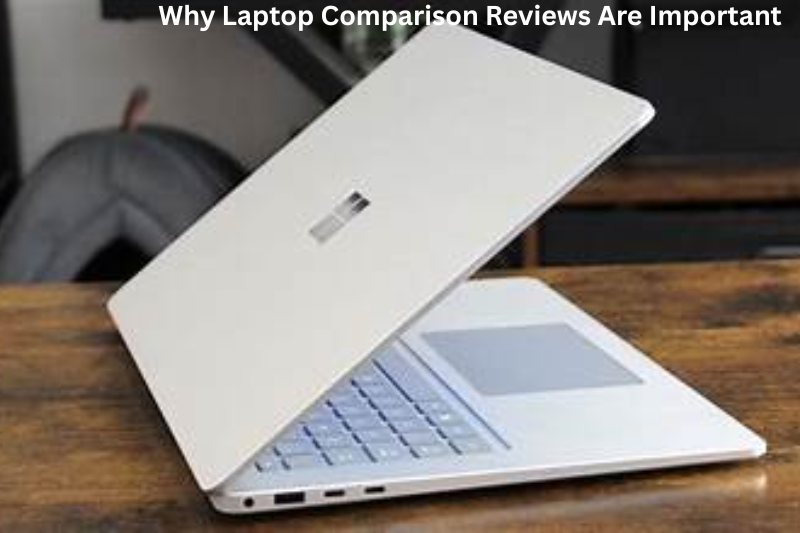
    Why Laptop Comparison Reviews Are Important

    Why Laptop Comparison Reviews Are Important

    Laptop comparison reviews help you:

    • Understand real-world performance
    • Compare value for money
    • Identify strengths and weaknesses
    • Avoid common buying mistakes
    • Choose a laptop that fits your specific needs

    Instead of relying on advertisements, laptop comparison reviews show you how devices actually perform in daily use — whether that’s gaming, studying, business work, or content creation.

    Laptop Comparison Reviews by Category

    Different users need different machines. Let’s compare laptops based on common use cases.

    1. Student Laptops Comparison

    When reading laptop comparison reviews for students, the most important factors are:

    • Portability
    • Battery life
    • Affordable pricing
    • Reliable everyday performance

    Two popular models often compared are:

    • Apple MacBook Air M2
    • Dell XPS 13

    Apple MacBook Air M2

    Benefits:

    • Excellent battery life (often 15+ hours)
    • Smooth and efficient performance with the M2 chip
    • Silent operation (no fan noise)
    • Premium aluminum build
    • Strong integration with Apple ecosystem

    Drawbacks:

    • Higher price compared to similar Windows laptops
    • Limited upgrade options
    • Fewer ports
    • Not ideal for gaming

    Dell XPS 13

    Benefits:

    • Compact and lightweight
    • High-resolution display options
    • Strong build quality
    • Runs full Windows software
    • Good performance for productivity tasks

    Drawbacks:

    • Battery life typically shorter than MacBook Air
    • Can get warm under heavy usage
    • Premium pricing in higher configurations

    Verdict for Students:
    Laptop comparison reviews often show that MacBook Air M2 leads in battery efficiency, while Dell XPS 13 offers better flexibility for Windows-based software.

    2. Gaming Laptop Comparison

    Gaming laptop comparison reviews focus heavily on:

    • Graphics card (GPU)
    • Cooling performance
    • Refresh rate
    • Overall power

    Two frequently compared gaming laptops include:

    • ASUS ROG Zephyrus G14
    • MSI Raider GE78

    ASUS ROG Zephyrus G14

    Benefits:

    • Powerful performance in a compact design
    • Strong GPU options
    • Good battery life for a gaming laptop
    • Portable compared to competitors

    Drawbacks:

    • Smaller screen
    • Fans can become loud during intense gaming
    • Premium price for high-end versions

    MSI Raider GE78

    Benefits:

    • Desktop-level performance
    • Larger display with high refresh rate
    • Advanced cooling system
    • Ideal for competitive gaming

    Drawbacks:

    • Heavy and less portable
    • Expensive
    • Shorter battery life
    • Not ideal for casual users

    Verdict for Gamers:
    Laptop comparison reviews usually show that Zephyrus G14 is better for portability, while MSI Raider GE78 is better for maximum performance.

    3. Business and Professional Laptop Comparison

    Business laptop comparison reviews prioritize:

    • Keyboard comfort
    • Security features
    • Durability
    • Long battery life

    Two strong contenders are:

    • Lenovo ThinkPad X1 Carbon
    • HP Spectre x360

    Lenovo ThinkPad X1 Carbon

    Benefits:

    • Industry-leading keyboard
    • Strong security features
    • Durable and lightweight
    • Excellent reliability

    Drawbacks:

    • Conservative design
    • Higher price
    • Limited gaming capability

    HP Spectre x360

    Benefits:

    • Convertible 2-in-1 design
    • Stylish and modern look
    • Touchscreen functionality
    • Strong performance for productivity

    Drawbacks:

    • Slightly heavier
    • Can be expensive
    • Battery life varies by configuration

    Verdict for Professionals:
    Laptop comparison reviews often show ThinkPad as the reliable workhorse, while Spectre x360 is better for flexibility and presentation use.

    Key Features to Compare in Laptop Comparison Reviews

    When reading laptop comparison reviews, pay attention to these core components:

    1. Processor (CPU)

    The processor determines speed and multitasking ability. Popular options include:

    • Intel Core i5 / i7
    • AMD Ryzen 5 / 7
    • Apple M-series chips

    Stronger processors handle demanding tasks like editing and gaming more efficiently.

    2. RAM

    • 8GB: Basic use (browsing, documents)
    • 16GB: Ideal for most users
    • 32GB+: Heavy editing and gaming

    More RAM improves multitasking performance.

    3. Storage

    Always choose SSD over HDD.

    • 256GB: Minimum
    • 512GB: Recommended
    • 1TB+: Best for large files

    SSD storage significantly improves speed.

    4. Battery Life

    Laptop comparison reviews often test real-world battery life. Manufacturer claims are usually optimistic.

    5. Display Quality

    Look for:

    • Full HD minimum
    • High refresh rate for gaming
    • Color accuracy for creative work

    General Benefits of Reading Laptop Comparison Reviews

    Laptop comparison reviews offer several advantages:

    • Clear side-by-side analysis
    • Honest performance testing
    • Insight into long-term durability
    • Real customer experiences
    • Budget vs performance evaluation

    They help you avoid making decisions based purely on marketing claims.

    General Drawbacks of Relying on Laptop Comparison Reviews

    While helpful, laptop comparison reviews also have limitations:

    • Some reviews are sponsored
    • Reviewer preferences may influence opinions
    • Rapidly changing models make some reviews outdated
    • Not all reviewers test long-term durability
    • Real-world experience can vary from user to user

    Always compare multiple sources before deciding.

    Mac vs Windows: Detailed Comparison

    Laptop comparison reviews frequently compare macOS and Windows laptops.

    MacBooks

    Benefits:

    • Excellent battery efficiency
    • Premium design and build quality
    • Smooth system optimization
    • Strong ecosystem integration

    Drawbacks:

    • Higher cost
    • Limited hardware upgrades
    • Fewer gaming options

    Windows Laptops

    Benefits:

    • Wide price range
    • More gaming support
    • Greater hardware variety
    • Easier upgrade options

    Drawbacks:

    • Battery life varies widely
    • Quality depends heavily on brand and model
    • Some models may include unnecessary pre-installed software

    You may also like to read these posts:

    Laptop Product Reviews

    Wearable Tech Review

    Audio Device Reviews

    Budget Tech Product Reviews

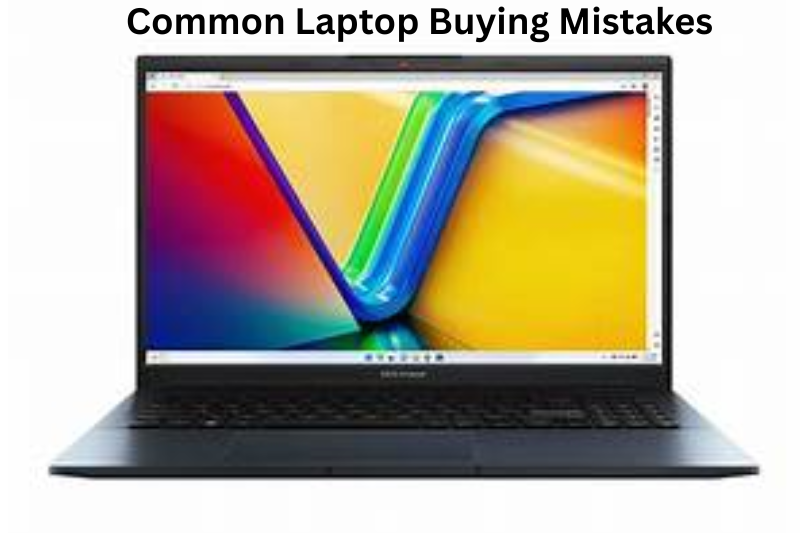
    Common Laptop Buying Mistakes

    Common Laptop Buying Mistakes

    Based on trends seen in laptop comparison reviews, buyers often:

    • Overspend on unnecessary high-end specs
    • Ignore portability and weight
    • Overlook keyboard comfort
    • Focus only on brand reputation
    • Forget to check port selection

    Understanding your actual needs prevents these mistakes.

    Final Thoughts

    Laptop comparison reviews are powerful tools — but only if you use them correctly.

    The best laptop is not the one with the highest specifications. It’s the one that:

    • Matches your daily tasks
    • Fits your budget
    • Offers long-term reliability
    • Provides comfort and convenience

    Frequently Asked Questions (FAQs) About Laptop Comparison Reviews

    1. What are laptop comparison reviews?

    Laptop comparison reviews are detailed analyses that evaluate multiple laptops side by side. They focus on key features like performance, battery life, display quality, build, and price. These reviews help users make informed decisions before purchasing a laptop.

    2. Why should I read laptop comparison reviews before buying?

    Reading laptop comparison reviews saves time and money. They provide real-world insights into how laptops perform in daily use, highlight pros and cons, and help you choose a model that fits your needs instead of relying on marketing claims.

    3. How do I choose the right laptop for my needs?

    Consider the following:
    Usage: Are you gaming, studying, working, or editing videos?
    Budget: Decide how much you’re willing to spend.
    Portability: Do you need a lightweight laptop or is a heavier, powerful one acceptable?
    Operating System: Mac, Windows, or Linux?
    Battery Life: Longer battery life is important for students and professionals on the go.

    4. What are the most important specs to compare?

    Processor (CPU) – Determines speed and multitasking ability.
    RAM – Affects multitasking and overall performance.
    Storage – SSDs are faster than HDDs.
    Battery Life – Real-world usage can differ from manufacturer claims.
    Display Quality – Resolution, refresh rate, and color accuracy matter, especially for creatives and gamers.

    5. Are expensive laptops always better?

    Not necessarily. Laptop comparison reviews show that the most expensive laptops arent good.
  • Smartphone Comparison Guide (Detailed 2026 Edition)

    Smartphone Comparison Guide (Detailed 2026 Edition)

    Buying a new phone today can feel overwhelming. Every brand promises the “best camera,” the “fastest processor,” or the “longest battery life.” That’s why this detailed smartphone comparison guide is designed to help you make a confident decision in a simple, practical way.

    Instead of focusing only on technical terms, let’s talk about what really matters in daily use — and the benefits and drawbacks of each major factor.

    1. Budget: The Foundation of Smart Comparison

    Budget The Foundation of Smart Comparison

    Before comparing features, decide how much you want to spend. Smartphones typically fall into three categories:

    Budget Phones

    • Usually affordable
    • Suitable for calls, messaging, browsing, light apps

    Benefits:

    • Cost-effective
    • Good battery life
    • Suitable for basic users

    Drawbacks:

    • Average camera quality
    • Slower performance over time
    • Limited software updates

    Mid-Range Phones

    Balanced performance and price.

    Benefits:

    • Strong performance for daily tasks
    • Good cameras
    • Smooth displays (often 120Hz)
    • Better build quality than budget phones

    Drawbacks:

    • May lack advanced features like top-tier zoom cameras
    • Charging speeds and materials may not match flagship level

    Flagship Phones

    Premium devices like the Samsung Galaxy S24, iPhone 15, Google Pixel 8, and OnePlus 12 fall into this category.

    Benefits:

    • Best performance available
    • Top-tier cameras
    • Premium materials
    • Long-term software support
    • Advanced features like AI processing

    Drawbacks:

    • Expensive
    • Repairs can be costly
    • Some features may go unused by average users

    2. Performance: How Much Power Do You Actually Need?

    Performance depends on the processor (chipset) and RAM.

    If you:

    • Play high-end games
    • Edit videos
    • Multitask heavily

    Then flagship performance may be worth it.

    The Samsung Galaxy S24 and iPhone 15 offer top-tier chips built for demanding workloads.

    However, most users mainly:

    • Use social media
    • Stream videos
    • Browse the web
    • Use messaging apps

    In that case, a mid-range device will feel perfectly smooth.

    Recommended RAM in 2026:

    • 6GB minimum
    • 8GB ideal
    • 12GB+ for heavy users

    Benefit of High Performance:

    • Future-proofing
    • Smooth multitasking
    • Better gaming

    Drawback:

    • Higher cost
    • Increased battery consumption in some cases

    3. Camera Quality: Beyond Megapixels

    Many buyers focus only on megapixels. That is misleading.

    What truly matters:

    • Sensor size
    • Image processing
    • Software optimization
    • Lens quality

    For example, the Google Pixel 8 is widely praised for computational photography. The iPhone 15 is highly regarded for video recording and natural color reproduction.

    Benefits of Flagship Cameras:

    • Excellent night photography
    • Advanced zoom capabilities
    • Professional-level video recording
    • Strong AI enhancements

    Drawbacks:

    • Minimal difference in daylight photos compared to good mid-range phones
    • High price increase for camera improvements

    If you mainly post on social media, a good mid-range camera is often sufficient.

    4. Battery Life and Charging Speed

    Battery capacity is measured in mAh, but efficiency matters just as much.

    Key factors:

    • Screen resolution
    • Refresh rate
    • Processor efficiency
    • Software optimization

    The OnePlus 12 is known for extremely fast charging speeds. Meanwhile, the Samsung Galaxy S24 focuses more on balanced performance and long-term battery health.

    Benefits of Large Battery:

    • Longer usage time
    • Better travel convenience
    • Reduced charging frequency

    Drawbacks:

    • Heavier device
    • Longer full charge time (if charging speed is slow)

    Fast charging is convenient, but extremely fast charging can generate heat, which may affect battery longevity over years.

    5. Display: Resolution vs Refresh Rate

    Two main aspects define display quality:

    Resolution

    Higher resolution provides sharper visuals.

    Refresh Rate

    • 60Hz: Standard experience
    • 120Hz: Smoother scrolling and gaming

    Most modern mid-range and flagship devices now offer 120Hz displays.

    Benefits of High Refresh Rate:

    • Smooth animations
    • Better gaming experience
    • More responsive feel

    Drawbacks:

    • Higher battery consumption

    OLED displays are common in premium phones, offering better contrast and deeper blacks.

    6. Software and Ecosystem

    Software experience plays a major role in long-term satisfaction.

    • The Google Pixel 8 provides a clean Android experience.
    • The iPhone 15 integrates seamlessly with Apple’s ecosystem.
    • Samsung devices offer customization and feature-rich interfaces.

    Benefits of Strong Ecosystems:

    • Seamless device syncing
    • Better security
    • Regular updates
    • Access to exclusive features

    Drawbacks:

    • Lock-in effect (hard to switch brands later)
    • Some ecosystems are more restrictive

    Always check:

    • Number of years of software updates
    • Security update policy
    • User interface preference

    7. Storage Considerations

    Photos, videos, and apps consume significant storage.

    In 2026:

    • 128GB: Entry-level
    • 256GB: Recommended
    • 512GB+: For heavy creators

    Benefits of Higher Storage:

    • Less reliance on cloud storage
    • Better for 4K/8K videos
    • Long-term usability

    Drawbacks:

    • Increased cost
    • No expandable storage in many flagship devices

    You may also like to read these posts:

    Laptop Product Reviews

    Wearable Tech Review

    Audio Device Reviews

    Budget Tech Product Reviews

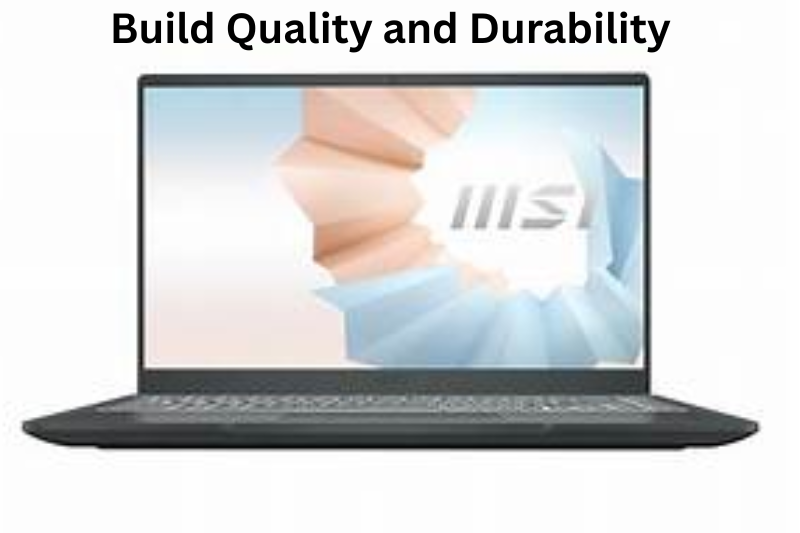
    8. Build Quality and Durability

    Build Quality and Durability

    Flagships typically include:

    • Glass and metal construction
    • Water and dust resistance (IP rating)
    • Strong screen protection

    Benefits:

    • Premium feel
    • Better durability
    • Improved resale value

    Drawbacks:

    • Glass backs can crack easily
    • Higher repair costs

    Mid-range devices may use plastic, which is actually more resistant to cracking but feels less premium.

    Final Buying Strategy Using This Smartphone Comparison Guide

    Here is a practical approach:

    1. Fix your budget first.
    2. Identify your top two priorities (camera, battery, gaming, design).
    3. Compare only 2–3 models within your price range.
    4. Check long-term software support.
    5. Read real-world user reviews.

    The most expensive phone is not automatically the best phone. The best phone is the one that matches your usage pattern, budget, and long-term expectations.

    Frequently Asked Questions (FAQs)

    1. What should I focus on when comparing smartphones?

    When doing a comparison, focus on your needs first — not just what sounds most impressive. Key areas to look at include:
    Performance (speed and smoothness)
    Camera quality
    Battery life
    Display quality
    Software experience
    Storage space
    Build quality

    2. Are higher megapixels always better for phone cameras?

    No. Megapixels alone don’t determine photo quality. The sensor size, software processing, and lens quality matter much more. Many phones with lower megapixels take better photos because of superior image processing.

    3. Do I need a flagship phone?

    Flagship phones offer top performance and premium features, but most users don’t need one. If your primary tasks are social media, browsing, videos, and light gaming, a good mid‑range phone will be more than enough and save you money.

    4. How much RAM and storage should I look for?

    In 2026:
    RAM: 6GB minimum; 8GB ideal for smooth daily use; 12GB+ for intensive multitasking or gaming.
    Storage: 128GB is the baseline; 256GB is recommended for most users; 512GB+ is useful if you store many videos and photos.

    5. What’s more important — battery size or charging speed?

    Both matter, but in different ways:
    A larger battery generally means longer usage time.
    Fast charging gets you back to full power quickly.
  • Budget Tech Product Reviews: How to Get the Best Gadgets Without Breaking the Bank

    Budget Tech Product Reviews: How to Get the Best Gadgets Without Breaking the Bank

    In today’s world, technology is everywhere—from smartphones and laptops to smart home devices and wearables. But let’s be honest: premium tech products can be extremely expensive, and not everyone has the budget to splurge. That’s where budget tech product reviews come in. They help you find gadgets that are affordable, reliable, and packed with features, without the hefty price tag.

    If you’ve ever wondered whether it’s possible to enjoy high-quality tech without overspending, this guide is for you. Let’s dive in and explore how to make smart, informed choices when buying budget gadgets.

    Why Budget Tech Products Are Worth Considering

    Why Budget Tech Products Are Worth Considering

    Many people assume that “budget” automatically equals low quality, but this is no longer true. Technology has advanced so rapidly that affordable devices often deliver performance and features that were considered premium just a few years ago. With the help of budget tech product reviews, you can:

    • Discover hidden gems in the tech market
    • Avoid overpriced gadgets with unnecessary features
    • Make informed decisions based on real user experience
    • Save money while still getting functional, reliable tech

    Budget products are especially useful for students, casual users, or anyone who wants smart tech without committing to high-end prices.

    Key Benefits of Budget Tech Products

    1. Affordability – The most obvious advantage. You can get functional gadgets for a fraction of the cost of premium alternatives.
    2. Value for Money – Many budget devices offer more than enough performance for everyday tasks, meaning you pay for what you need without overpaying for extras.
    3. Access to Technology – Budget tech opens up access to tools and features that improve productivity, entertainment, and connectivity.
    4. Variety – There are hundreds of budget gadgets available, so you can find devices that suit your personal needs and style.
    5. Learning Opportunity – Budget products are great for experimenting with technology without a high financial risk.

    Potential Drawbacks of Budget Tech Products

    Of course, no product category is perfect. Here are some potential downsides you should consider:

    1. Limited Longevity – Some budget devices may not last as long as premium products, especially if they use cheaper components.
    2. Performance Limitations – High-end games, professional software, or heavy multitasking may not run as smoothly on budget devices.
    3. Fewer Features – You might miss advanced features found in premium models, such as high-resolution cameras, cutting-edge processors, or extra security options.
    4. Customer Support – Some budget brands offer limited warranties or slower customer service compared to bigger brands.
    5. Build Quality – While many budget devices are surprisingly durable, some may feel less sturdy or lightweight.

    The key is knowing what to expect and balancing price with your needs. This is where budget tech product reviews become invaluable—they highlight exactly what works well and what may be compromised.

    What to Look for in Budget Tech Products

    When browsing gadgets, there are a few things to prioritize:

    • Build Quality – Even on a budget, durability matters. Look for sturdy materials and good craftsmanship.
    • Performance vs. Price – A gadget should do its primary job well. Focus on features that matter most to you.
    • Battery Life – Devices that die quickly can be frustrating; check user reviews for realistic battery performance.
    • User Reviews – Real-world feedback is crucial. Specs on paper are helpful, but actual usage tells the full story.
    • Warranty and Support – Ensure the product comes with a reasonable warranty or reliable customer service.

    By paying attention to these factors, you can avoid low-quality purchases and maximize your investment.

    Popular Budget Tech Categories

    1. Smartphones

    Budget smartphones have improved dramatically in recent years. Many now offer:

    • Decent cameras for everyday photography
    • Smooth performance for browsing, streaming, and social media
    • Long battery life

    Benefits: Affordable, functional for daily use, compact designs
    Drawbacks: Slower processors, fewer software updates, sometimes lower camera quality

    2. Laptops & Tablets

    Budget laptops and tablets are perfect for students, remote workers, and casual users. They often provide enough power for web browsing, streaming, and document editing.

    Benefits: Lightweight, portable, affordable, good battery life
    Drawbacks: Limited storage, weaker processors, not ideal for gaming or heavy software

    3. Smart Home Devices

    Smart plugs, lights, and assistants are increasingly accessible at lower prices. Budget models can automate tasks without expensive ecosystems.

    Benefits: Convenience, energy savings, easy integration
    Drawbacks: Fewer features, slower response times, limited brand support

    4. Wearables

    Fitness trackers and budget smartwatches now track steps, sleep, and even heart rate accurately.

    Benefits: Affordable health monitoring, lightweight, customizable
    Drawbacks: Shorter battery life, fewer advanced features, occasional syncing issues

    You may also like to read these posts:

    Latest Gadget Reviews

    Smartphone Product Reviews

    Laptop Product Reviews

    Wearable Tech Review

    How to Make the Most of Budget Tech Product Reviews

    How to Make the Most of Budget Tech Product Reviews

    To truly benefit from budget tech product reviews, follow these tips:

    • Read both pros and cons to get a balanced view
    • Look for real-world testing—reviews that discuss daily performance are more useful than spec sheets alone
    • Compare multiple products to understand which offers the best combination of features and price
    • Consider long-term value: sometimes spending slightly more upfront on a reliable budget product is smarter than buying the absolute cheapest option

    Final Thoughts

    Buying tech on a budget doesn’t mean sacrificing quality or experience. With careful research, you can find gadgets that are both affordable and functional. Budget tech product reviews are your guide to navigating the vast market, avoiding pitfalls, and making smart purchases that fit your lifestyle.

    Remember: the best budget tech is about balance. Know your priorities, read the reviews carefully, and make choices that give you the most value for your money. With this approach, you can enjoy modern technology without overspending.

    Frequently Asked Questions (FAQs) About Budget Tech Products

    1. What does “budget tech” mean?

    Budget tech refers to gadgets and devices that are affordable compared to premium alternatives. These products aim to provide essential features and good performance without the high price tag. Budget tech doesn’t necessarily mean low quality—it just focuses on value for money.

    2. Are budget tech products reliable?

    Yes, many budget tech products are reliable, especially from well-reviewed brands. The key is to check budget tech product reviews, which highlight durability, performance, and real-world user experiences. While some budget products may have limitations, many perform well for everyday tasks.

    3. Can I get a good smartphone on a budget?

    Absolutely. Modern budget smartphones often include decent cameras, long battery life, and smooth performance for browsing, streaming, and social media. While they might not match flagship models in gaming or high-end photography, they are more than enough for daily use.

    4. What should I look for when buying budget tech?

    When shopping for budget gadgets, focus on:
    Performance vs. price: Does it meet your needs without extra bells and whistles?
    Build quality: Is the device sturdy and well-made?
    Battery life: Will it last through the day?
    User reviews: Real feedback often tells the truth better than specs alone.
    Warranty/support: Ensure help is available if something goes wrong.

    5. Are budget laptops and tablets worth it?

    Yes. Budget laptops and tablets can handle browsing, streaming, basic work tasks, and school projects. They may have limited storage or slower processors, but for everyday use, they are excellent value. Refurbished models can also offer higher specs at lower price.
  • Audio Device Reviews: Your Ultimate Guide to Finding the Perfect Sound

    Audio Device Reviews: Your Ultimate Guide to Finding the Perfect Sound

    If you’re someone who enjoys music, gaming, podcasts, or even professional audio work, you know how important it is to have the right audio gear. But let’s face it: the world of headphones, speakers, earbuds, and audio devices can be overwhelming. There are so many brands, models, and technical specifications that it’s hard to know where to start. That’s where audio device reviews come in—they help you make informed decisions without wasting your money or time.

    Why Audio Device Reviews Matter

    Why Audio Device Reviews Matter

    Not all audio devices are created equal. You might be tempted to buy a device just because it looks stylish or has a high price tag. Unfortunately, that doesn’t always guarantee good performance. Audio device reviews provide honest feedback from people who have actually used the products. They cover essential aspects like sound quality, comfort, durability, connectivity, and battery life. Essentially, these reviews act as your personal guide to making the right choice.

    Key Features to Look for in Audio Device Reviews

    When reading audio device reviews, pay attention to the following aspects:

    1. Sound Quality – Reviews often break down the audio experience into bass, mids, and treble. This helps you know whether the device emphasizes deep bass, clear vocals, or a balanced sound.
    2. Comfort & Design – Long listening sessions can be uncomfortable if the headphones are too tight or heavy. Reviews help you understand how a device feels during daily use.
    3. Durability – Portable devices often get a lot of wear and tear. Reviews can indicate whether a product is built to last or prone to damage.
    4. Battery Life & Connectivity – Wireless devices are only useful if the battery lasts long enough and the connection is reliable. Reviews often test real-world performance versus manufacturer claims.
    5. Value for Money – Sometimes a budget-friendly device can outperform expensive options. Reviews can guide you toward products that offer the best balance of price and performance.

    Popular Audio Devices Reviewed

    • Headphones & Earbuds – Noise-canceling, wireless, or gaming-focused, reviews help you find the perfect fit for your lifestyle.
    • Speakers – Whether portable, home, or smart speakers, reviews reveal which ones offer the best sound quality and durability.
    • Audio Interfaces & Studio Gear – For musicians, podcasters, or producers, reviews dive deep into technical performance, reliability, and professional features.

    Benefits of Using Audio Device Reviews

    1. Informed Decisions – Reviews help you understand the pros and cons before making a purchase.
    2. Time-Saving – Instead of testing every device yourself, reviews provide firsthand experiences from multiple users.
    3. Cost-Effective – Avoid wasting money on products that don’t meet your expectations.
    4. Detailed Insights – Reviews often cover features you might not think of, like mic quality, latency, or noise isolation.
    5. Comparison Ready – By reading several reviews, you can easily compare products side by side to find the best fit.

    Drawbacks to Keep in Mind

    1. Biased Reviews – Some reviews may be sponsored or influenced by brands, so it’s important to check multiple sources.
    2. Subjective Opinions – Sound perception is personal; what sounds amazing to one person might not appeal to another.
    3. Overwhelming Information – With so many reviews online, it can be confusing to sort through conflicting opinions.
    4. Outdated Reviews – Audio devices often get software updates that improve performance, so older reviews might not reflect current functionality.

    You may also like to read these posts:

    Latest Gadget Reviews

    Smartphone Product Reviews

    Laptop Product Reviews

    Wearable Tech Review

    How to Make the Most of Audio Device Reviews

    How to Make the Most of Audio Device Reviews
    • Look for Patterns – If multiple reviewers mention the same pros and cons, it’s likely accurate.
    • Check Hands-On Reviews – Reviews based on personal use are more reliable than those just repeating product specifications.
    • Consider Your Needs – Focus on the features that matter most to you, whether it’s sound clarity, battery life, or portability.
    • Compare Across Sources – Don’t rely on a single review; check multiple sources for balanced insights.

    Conclusion

    In the modern world of audio devices, making the right choice can feel overwhelming. That’s why audio device reviews are essential—they help you navigate the many options available and make decisions based on real experiences, not just marketing hype. By reading thorough and honest reviews, you can find devices that truly match your needs, whether for music, gaming, or professional work.

    Next time you’re ready to invest in new headphones, speakers, or studio gear, let the reviews guide you. They save time, prevent disappointment, and ensure you get the best sound experience possible.

    FAQs About Audio Device Reviews

    1. What are audio device reviews?

    Audio device reviews are evaluations of headphones, speakers, earbuds, and other sound equipment. They provide insights into performance, sound quality, comfort, battery life, durability, and overall value, helping users make informed purchasing decisions.

    2. Why should I read audio device reviews?

    Reading reviews saves you time and money. Instead of trying multiple devices yourself, reviews give firsthand experiences from real users. They help you avoid low-quality products and identify the best option for your needs.

    3. Are all audio device reviews reliable?

    Not always. Some reviews may be biased, sponsored, or influenced by marketing. To ensure reliability, check multiple sources, focus on hands-on reviews, and look for consistent patterns in feedback.

    4. What should I focus on when reading reviews?

    Pay attention to:
    Sound quality (bass, mids, treble)
    Comfort and design
    Battery life and connectivity (for wireless devices)
    Durability
    Value for money

    5. Can reviews be trusted for professional audio devices?

    Yes, but with caution. Professional gear reviews often include technical analysis, but you should still consider your specific needs, such as recording quality, latency, or compatibility with your setup.
  • Wearable Tech Reviews: How to Choose the Perfect Gadget for You

    Wearable Tech Reviews: How to Choose the Perfect Gadget for You

    In today’s world, wearable technology has become more than just a trend—it’s a part of our daily lives. From smartwatches that keep us connected to fitness trackers that monitor our health, wearables are designed to make life easier and more efficient. But with so many options available, how do you know which one is right for you? That’s where wearable tech reviews come in. These reviews are invaluable tools that help you make informed decisions and find devices that truly match your lifestyle.

    In this article, we’ll explore the different types of wearables, their benefits and drawbacks, and tips for choosing the right one for your needs.

    Why Wearable Tech Reviews Are Important

    Why Wearable Tech Reviews Are Important

    Buying a wearable isn’t a small investment. Unlike regular gadgets, these devices are worn daily, which means they need to be comfortable, reliable, and functional. Wearable tech reviews provide insights from people who have tested these devices over time. They help you understand:

    • Battery Life – Will it last a day, several days, or a week?
    • Accuracy – How precise are the health or fitness metrics?
    • Comfort – Is it easy to wear all day without irritation?
    • Features – Does it track sleep, heart rate, GPS, or stress effectively?
    • Durability – Can it withstand daily wear, sweat, and even occasional bumps?

    By reading multiple reviews, you can avoid devices that underperform or fail to meet expectations.

    Types of Wearable Technology

    There is no one-size-fits-all wearable, and each type serves different purposes:

    1. Smartwatches

    Smartwatches are the most versatile wearables. They not only track health metrics but also allow you to receive notifications, control apps, and even make calls. Popular models include the Apple Watch, Samsung Galaxy Watch, and Fitbit Versa.

    Benefits:

    • Combines health tracking with smart features
    • Can replace the need to check your phone constantly
    • Often comes with GPS and music storage

    Drawbacks:

    • Can be expensive
    • Battery life is usually shorter than simpler fitness trackers
    • Can feel bulky for smaller wrists

    2. Fitness Trackers

    Fitness trackers focus on physical activity, sleep, and basic health metrics. They are ideal for people who want data without the extra features of a smartwatch. Fitbit, Garmin, and Xiaomi are popular choices.

    Benefits:

    • Lightweight and comfortable for all-day wear
    • Long battery life
    • Focused on fitness metrics with high accuracy

    Drawbacks:

    • Limited smart features
    • Smaller screens may not show notifications clearly

    3. Smart Rings

    Smart rings are compact and discreet, offering basic health tracking like heart rate, sleep, and sometimes stress levels. Oura Ring is one of the leading options in this category.

    Benefits:

    • Very discreet and stylish
    • Easy to wear during any activity
    • Can track sleep more accurately due to consistent contact with the body

    Drawbacks:

    • Limited functionality compared to watches
    • Smaller screen, less intuitive interface
    • Can be expensive for the features provided

    4. Health-Specific Wearables

    Some wearables focus on specific health needs, such as continuous glucose monitors, ECG trackers, or blood pressure monitors. These devices are invaluable for people with chronic health conditions.

    Benefits:

    • Provides real-time health monitoring
    • Can alert users to potential health issues
    • Helps with long-term health management

    Drawbacks:

    • Often expensive
    • May require professional setup or integration with medical apps
    • Limited general-purpose features

    You may also like to read these posts:

    Latest Gadget Reviews

    Smartphone Product Reviews

    Laptop Product Reviews

    Wearable Tech Review

    Benefits of Wearable Technology

    Investing in wearable tech comes with numerous advantages:

    • Health Awareness – Track your activity, heart rate, sleep, and stress for better overall health.
    • Motivation – Many devices have reminders and challenges that encourage you to stay active.
    • Convenience – Receive notifications, answer calls, and check messages without reaching for your phone.
    • Safety Features – Some devices include fall detection or emergency alerts.
    • Personal Insights – Data collected over time helps you understand patterns and improve habits.

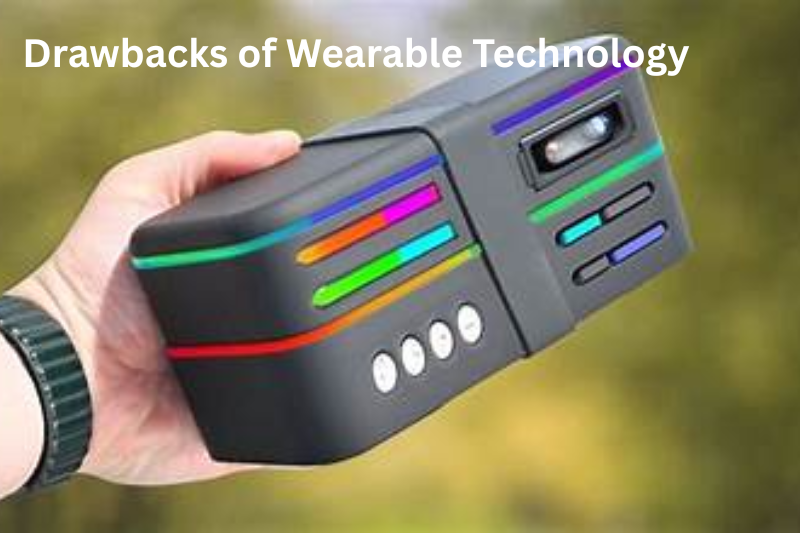
    Drawbacks of Wearable Technology

    Drawbacks of Wearable Technology

    While wearables are beneficial, they also have limitations:

    • Cost – High-quality devices can be expensive.
    • Battery Dependency – Devices need regular charging, which can be inconvenient.
    • Data Accuracy – Not all devices are 100% accurate, especially for complex health metrics.
    • Privacy Concerns – Wearables collect personal data, so security and privacy policies matter.
    • Potential Discomfort – Some devices may cause irritation or be uncomfortable during extended use.

    Tips for Choosing the Right Wearable

    To make the best choice, consider these tips:

    1. Define Your Goal – Decide if you need health monitoring, fitness tracking, or smart features.
    2. Check Compatibility – Ensure it works with your smartphone or other devices.
    3. Consider Comfort – Look for adjustable straps and lightweight designs.
    4. Read Multiple Wearable Tech Reviews – Balance professional opinions with user experiences.
    5. Prioritize Features That Matter – Don’t pay extra for features you won’t use.

    Conclusion

    Wearable technology can enhance your health, productivity, and lifestyle—but only if you choose the right device. That’s why wearable tech reviews are so important. They provide real-world insights into performance, comfort, and value, helping you make informed decisions.

    Next time you’re thinking about buying a smartwatch, fitness tracker, or any wearable, take the time to read several reviews. Your future self—more organized, healthier, and tech-savvy—will thank you.

    Frequently Asked Questions (FAQs) About Wearable Tech

    1. What is wearable technology?

    Wearable technology refers to electronic devices you can wear on your body, such as smartwatches, fitness trackers, smart rings, and health monitors. These devices track data like activity, sleep, heart rate, and sometimes even more advanced health metrics.

    2. Why should I read wearable tech reviews before buying?

    Reviews give you insights into real-world performance, comfort, accuracy, and battery life. They help you avoid spending money on devices that don’t meet your needs and make it easier to choose the best wearable for your lifestyle.

    3. Are smartwatches better than fitness trackers?

    It depends on your goals. Smartwatches offer a mix of health tracking and smart features like notifications, apps, and calls. Fitness trackers focus more on fitness and health data, usually with longer battery life and simpler designs.

    4. How accurate are wearable devices?

    Accuracy varies by brand and device type. High-end devices like Apple Watch, Garmin, and Fitbit are generally reliable for steps, heart rate, and sleep tracking. However, complex metrics like blood pressure or calorie burn can be less precise, so reviews can help you compare accuracy.

    5. Can wearable devices help improve my health?

    Yes! Wearables can track your activity, sleep, and heart rate, providing data that helps you understand your habits. Many devices also send reminders to move, track workouts, and even detect stress or irregular heart patterns, which can motivate healthier behaviors.
  • Laptop Product Reviews: Your Complete Guide to Choosing the Right Laptop

    Laptop Product Reviews: Your Complete Guide to Choosing the Right Laptop

    If you’re looking for a new laptop, you’ve probably realized how overwhelming it can be. With countless brands, models, and specifications, finding the perfect laptop feels like searching for a needle in a haystack. This is where laptop product reviews become invaluable. They provide real-world insights into performance, reliability, and usability, helping you make an informed decision before spending your hard-earned money.

    Why Laptop Product Reviews Are Important

    Why Laptop Product Reviews Are Important

    Laptop product reviews do more than just summarize specifications. They give you a glimpse into the user experience and reveal whether a laptop lives up to its promises. While a spec sheet lists processor speed, RAM, and storage, reviews show how these specs perform in everyday use.

    Some key aspects covered in reviews include:

    • Performance: Reviews show how laptops handle multitasking, software applications, gaming, or heavy workloads.
    • Battery Life: Instead of just listing battery capacity, reviews often measure real usage hours.
    • Build Quality: Professional and user reviews reveal how durable the laptop is and how well it withstands wear and tear.
    • User Experience: Factors like keyboard comfort, touchpad responsiveness, display quality, and sound performance are often highlighted.
    • Value for Money: Reviews assess whether a laptop justifies its price, comparing features and performance with competitors.

    By reading multiple laptop product reviews, you can get a balanced view of a model’s strengths and weaknesses.

    Benefits of Reading Laptop Product Reviews

    1. Informed Decision-Making: You’ll understand how a laptop performs in real life, not just on paper.
    2. Time-Saving: Reviews often highlight the best laptops for specific needs, narrowing down your options quickly.
    3. Avoiding Regret: Knowing the drawbacks ahead of time prevents surprises after purchase.
    4. Comparison Made Easy: Many reviews compare similar laptops, helping you find the best fit for your budget and requirements.
    5. Insight into User Satisfaction: Reviews often include user experiences over months or years, offering a perspective that specs alone cannot provide.

    You may also like to read these posts:

    Latest Gadget Reviews

    Smartphone Product Reviews

    Laptop Product Reviews

    Wearable Tech Review

    Drawbacks of Relying on Reviews

    While laptop product reviews are helpful, there are a few things to keep in mind:

    • Subjectivity: Some reviews reflect personal opinions and preferences, which may not match your needs.
    • Sponsored Content: Paid reviews can sometimes exaggerate positives and downplay negatives.
    • Outdated Information: Laptop models evolve quickly, so older reviews may not reflect current versions.
    • Overload of Information: Too many reviews can be confusing if you don’t focus on the features that matter most to you.

    How to Use Laptop Product Reviews Effectively

    To make the most out of reviews, follow these tips:

    1. Read Multiple Sources: Combine professional reviews with verified user reviews for a complete picture.
    2. Focus on Your Needs: Identify what matters most — battery life, portability, graphics performance, or storage.
    3. Watch Out for Bias: Look for reviews that provide both pros and cons. Honest reviews are usually balanced.
    4. Use Comparison Tools: Many websites allow side-by-side comparison of laptops to see which one offers the best combination of features.
    5. Check Updates: Some laptops receive software updates or hardware revisions that affect performance; recent reviews are more reliable.

    Popular Laptops Frequently Reviewed

    Popular Laptops Frequently Reviewed

    Depending on your use case, certain laptops consistently receive positive feedback in reviews:

    • For Students: Lightweight and portable laptops like the MacBook Air, Dell XPS 13, or HP Pavilion series.
    • For Gamers: High-performance gaming laptops like ASUS ROG, Alienware, and MSI series.
    • For Professionals: Reliable and durable laptops with strong performance, such as Lenovo ThinkPad, HP Spectre, and Microsoft Surface Laptop.

    These laptops have extensive laptop product reviews online, which make it easier to understand their real-world performance and decide which one fits your lifestyle and budget.

    Final Thoughts

    Finding the right laptop doesn’t have to be stressful. By leveraging laptop product reviews, you can save time, avoid mistakes, and ensure you invest in a machine that meets your needs. Take your time to compare reviews, weigh the pros and cons, and choose a laptop that will serve you well for years. Think of it as picking a long-term partner — it’s worth doing the research to get it right.

    FAQs About Laptop Product Reviews

    1. What are laptop product reviews?

    Laptop product reviews are evaluations of laptops written by experts or users. They cover aspects like performance, battery life, design, durability, and overall user experience. Reviews help buyers understand how a laptop works in real life, beyond just the technical specifications.

    2. Why should I read laptop product reviews before buying?

    Reading reviews helps you make an informed decision. They show both the strengths and weaknesses of a laptop, save you from buying something that doesn’t meet your needs, and highlight features that matter most for your lifestyle.

    3. Are online reviews reliable?

    Most online reviews are helpful, but you should be cautious. Look for multiple sources, including verified user reviews. Avoid relying solely on sponsored content, as it can sometimes exaggerate positives and downplay drawbacks.

    4. What should I look for in a laptop review?

    Focus on the following:
    Performance (speed, multitasking, gaming, software)
    Battery life in real-world usage
    Build quality and durability
    Keyboard, touchpad, and screen experience
    Value for money

    5. Can I trust reviews from tech websites only?

    Professional tech websites provide detailed, structured reviews, but combining them with user reviews gives a more complete picture. Users often share long-term experiences and practical insights that websites may not cover.
  • Smartphone Product Reviews: How to Choose the Best One for You

    Smartphone Product Reviews: How to Choose the Best One for You

    Hey there! If you’re reading this, chances are you’re thinking about getting a new smartphone but feel overwhelmed by all the options out there. Trust me, I get it. Every year, dozens of models come out with new features, fancy cameras, and crazy-fast processors. That’s why smartphone product reviews are your best friend when making a choice.

    Let’s break it down together.

    Why Smartphone Product Reviews Matter

    When you buy a smartphone, it’s not just about how it looks. You want to know:

    • Does it really have a long-lasting battery?
    • Is the camera as good as the ads say?
    • How smooth is it when you switch between apps?
    • Is it worth the price?

    This is exactly where smartphone product reviews come in. They give you real-world insights from people who’ve used the phone, rather than just relying on marketing hype.

    What to Look for in Reviews

    What to Look for in Reviews

    Not all reviews are created equal. Here’s what you should pay attention to:

    1. Battery Life – Some phones promise all-day power but might drain quickly with heavy use. Reviews will tell you the truth.
    2. Camera Quality – Pictures can look amazing on a small screen but blurry on a computer. Look for reviews with sample photos.
    3. Performance – Nobody wants a phone that lags or freezes. Reviews often test gaming, multitasking, and app loading speeds.
    4. Durability – Drop it once by accident? Some phones handle it better than others. Reviewers often test this.
    5. Software Updates – A great phone today can feel outdated in a year if it doesn’t get software support. Reviews mention how long a device is supported.

    Where to Find Reliable Smartphone Product Reviews

    You might be tempted to just read comments online, but here’s the smart approach:

    • Tech websites and blogs – Sites like TechRadar, CNET, or Android Authority provide detailed, unbiased reviews.
    • YouTube – Watching someone use the phone gives a clear idea of what to expect.
    • Customer reviews – Platforms like Amazon or Best Buy can show how real users feel about long-term use.

    You may also like to read these posts:

    Latest Gadget Reviews

    Smartphone Product Reviews

    Laptop Product Reviews

    Wearable Tech Review

    Quick Tips for Using Reviews Effectively

    Quick Tips for Using Reviews Effectively
    1. Compare multiple sources – One review might be biased or based on personal preference. Multiple reviews give a clearer picture.
    2. Look for hands-on tests – Features like camera, battery, and speed are best judged in real usage.
    3. Focus on what matters to you – If you’re a gamer, performance and screen refresh rate matter more than camera megapixels.

    Final Thoughts

    Choosing a smartphone doesn’t have to be stressful. By using smartphone product reviews, you can make an informed decision and get a device that truly fits your lifestyle. Remember, it’s not about the most expensive phone—it’s about the one that works best for you.

    So next time you’re debating between two models, check out some reviews, watch a couple of videos, and read what real users have to say. You’ll be surprised how much easier it makes the decision!

    FAQs About Smartphone Product Reviews

    1. What are smartphone product reviews?

    Smartphone product reviews are evaluations of mobile phones by experts or users, covering features like battery life, performance, camera quality, and overall usability. They help potential buyers make informed decisions.

    2. Why should I read smartphone product reviews before buying?

    Reviews give real-world insights beyond marketing claims. They show how a phone performs in daily use, helping you avoid phones that may have hidden flaws or don’t meet your needs.

    3. Where can I find reliable smartphone product reviews?

    Trusted sources include tech websites like CNET, TechRadar, and Android Authority, YouTube channels that offer hands-on demonstrations, and verified customer reviews on platforms like Amazon or Best Buy.

    4. Are all smartphone reviews trustworthy?

    Not necessarily. Some reviews can be biased due to sponsorships or personal preferences. That’s why it’s important to check multiple sources and look for detailed, hands-on testing.

    5. Should I focus on expert reviews or user reviews?

    Both are valuable. Expert reviews provide technical analysis and comparisons, while user reviews give real-world experiences about battery life, durability, and usability over time.